Connecting to Your Exchange Server Archive Mailbox
An Exchange Server Archive Mailbox stores older or frequently accessed emails separately from the primary mailbox. Connecting to the archive mailbox allows you to access, migrate, or manage archived data efficiently. Users can access, search, and restore archived emails directly from Outlook or Outlook Web App, making it easy to retrieve important messages whenever needed. This guide explains how to securely establish a connection to your Exchange archive mailbox, ensuring seamless access to all archived emails for migration or administrative tasks.
Steps to Configure the Source Exchange Server Archive Mailbox
- First, check the system requirements to perform an Exchange Server Archive Mailbox migration, then download and install the EdbMails application on your computer.
- Start by choosing ‘Live Exchange Migration’, then specify the job name by either using the default option or creating a custom name via the ‘New Job’ button.
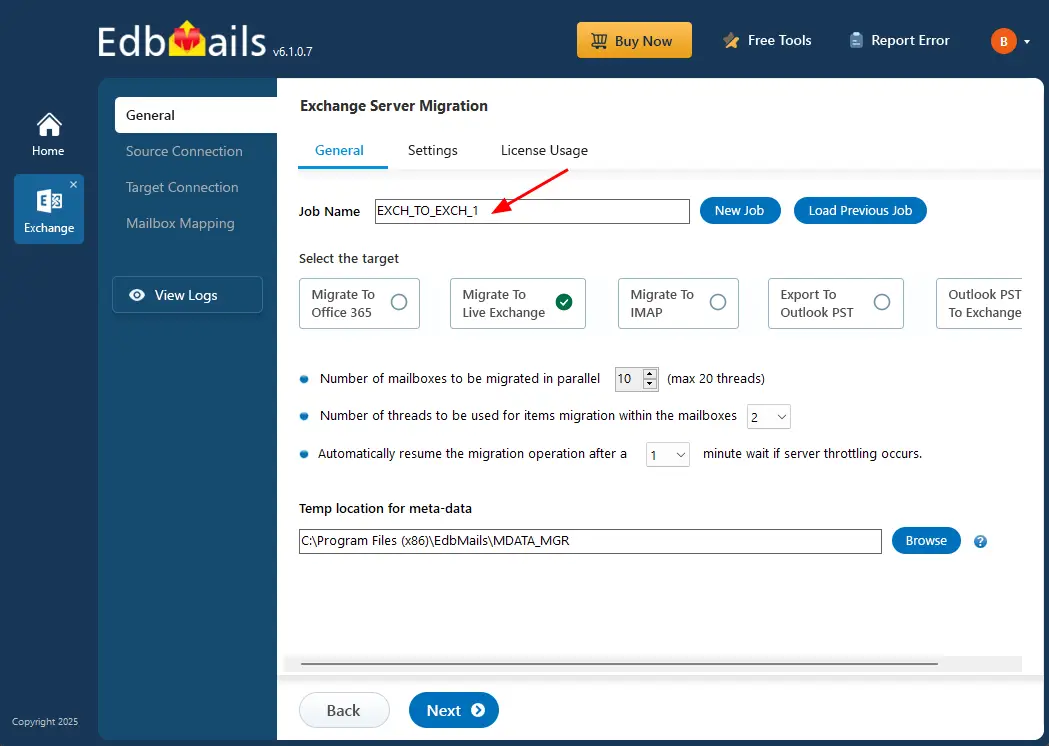
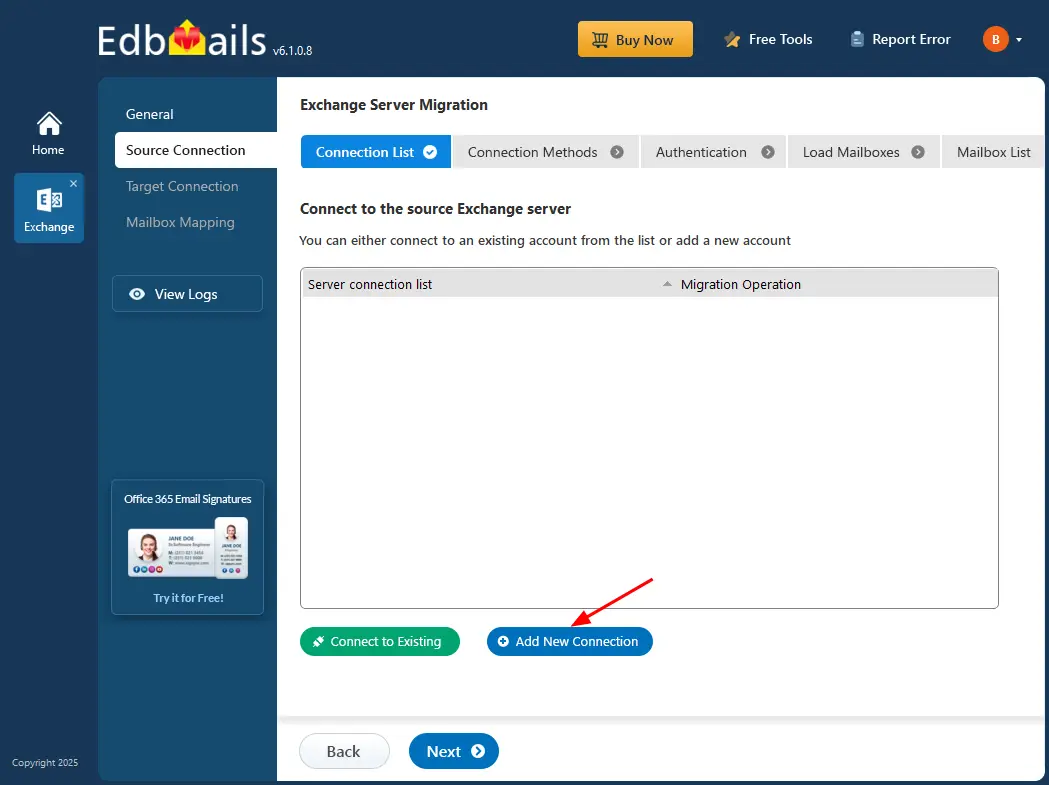
- Next, click 'Add New Connection' to create a new connection with the source Exchange server. If you have already configured a connection earlier, simply select it from the list and click 'Connect to Existing' to continue. For this example, we will proceed by creating a new connection.
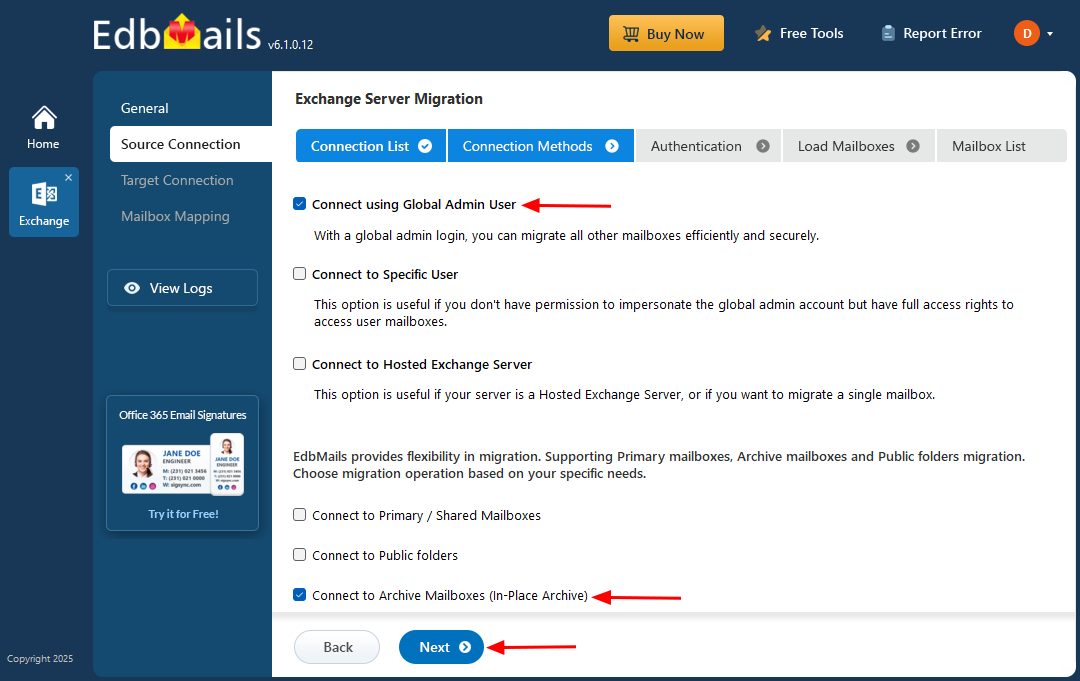
- The Exchange Server source connection opens a setup wizard to configure the migration. Select 'Connect using Global Admin User', choose the mailbox type as 'Connect to Archive Mailbox (In-Place Archive)', and then click 'Next' to continue with the migration process.
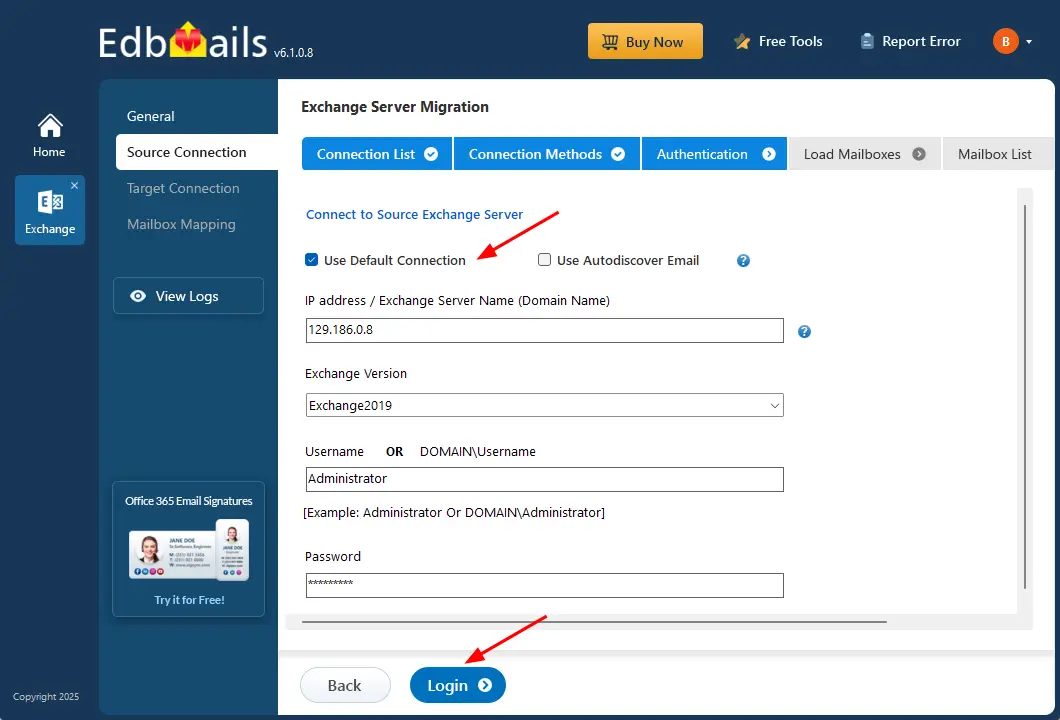
- Select ‘Use Default Connection’ and provide the necessary login details, including IP address, Exchange version, DOMAIN\username, and password, to access the mailboxes on the source Exchange server, then click the ‘Login’ button.
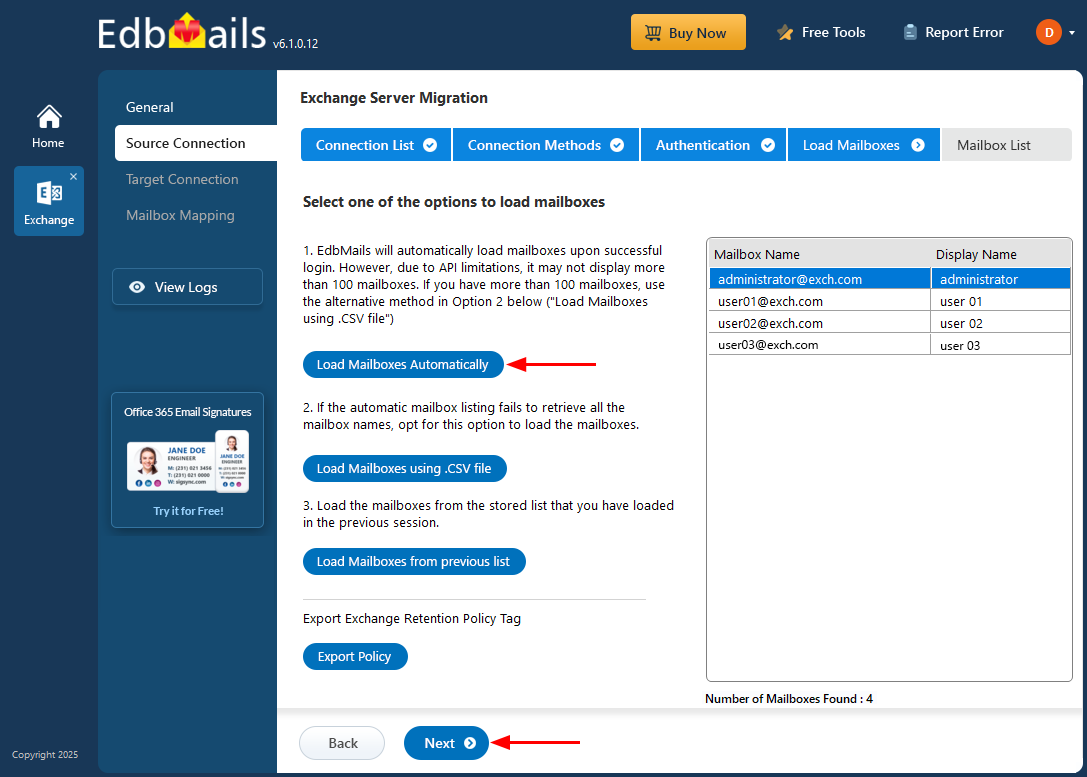
- After logging in to your source Exchange server successfully, you can select how to load the mailboxes:
- Load Mailboxes automatically
- Load Mailboxes Using .CSV file
- Load Mailboxes from previous list
EdbMails allows you to load Exchange server mailboxes automatically or import them manually using a CSV file.
- Once all mailboxes are loaded, select the archive mailboxes or folders you want to migrate to the target server.
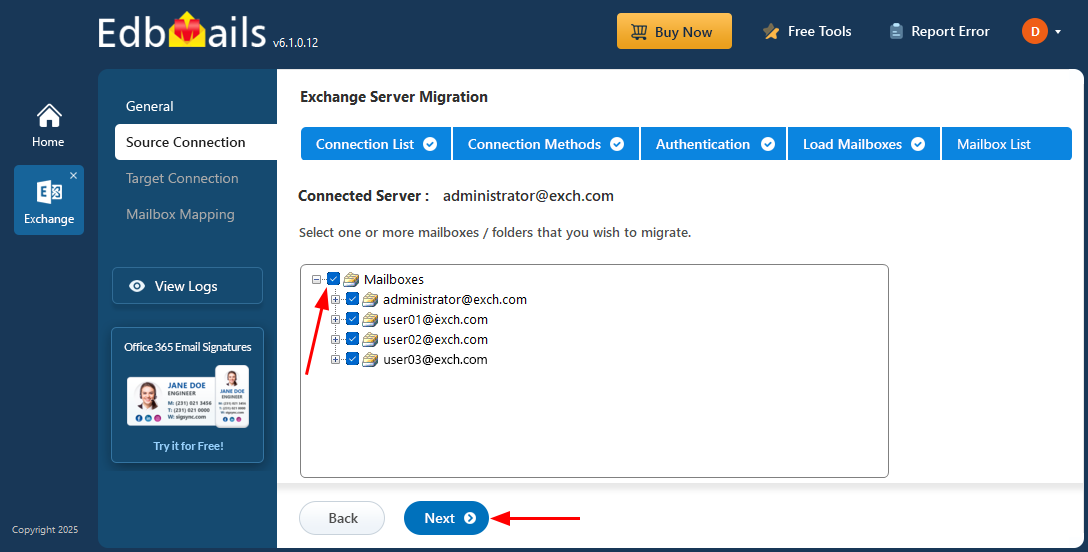
Once the source Exchange server connection is successfully set up and the necessary mailboxes are selected, the source configuration is complete. You can now proceed to set up the target connection to continue the migration process.
Benefits of EdbMails for Exchange Archive Mailbox Migration
EdbMails Exchange Migration tool simplifies the transfer of Archive mailboxes to a live Exchange server. Unlike manual methods, its intuitive interface allows users to effortlessly select and migrate folders, mailboxes, and individual mail items without relying on PowerShell scripts.
- High-Performance Migration: EdbMails supports concurrent mailbox migration, allowing multiple mailboxes to migrate simultaneously, reducing overall migration time while minimizing disruption to users.
- Data Integrity and Uptime: Ensures a reliable migration with no data loss or downtime, maintaining complete mailbox integrity.
- Scalable for Large Mailboxes: Capable of handling Archive mailboxes of any size, making it suitable for migrations regardless of data volume.
- Enterprise and SMB Friendly: Designed for both small businesses and enterprise environments, providing an efficient migration solution for all scales.
- Incremental Migration: Supports incremental migration, preventing duplicates during subsequent migrations to the same target.
- Automated Migration Tasks: Automates key tasks such as creating target mailboxes, mailbox and folder mapping, and automatic throttling management.
- Reliable Data Replication: Safely replicates mailbox items and folders from source to target without compromising data integrity.